


Sequence and direction: block programs and finding bugs


 About this lesson
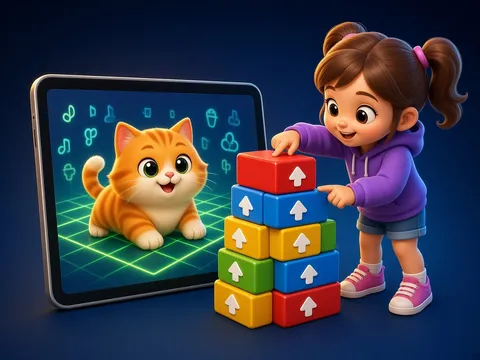
In block programming commands are coloured blocks: “move forward”, “turn left”, “turn right”, “repeat”. We snap them together from top to bottom to make a program. We press “Start” and the character follows the commands in order. If it misses the goal, there is a bug. To find it we check step by step and change only the wrong block.
 What the book shows

In computer science the child first learns to think through unplugged games: recognising information, ordering steps and learning safety rules.
Textbook link:
This is not the textbook’s text but a short description of the topic. Check the exact page in your own textbook.
 The lesson step by step
- 1
Warm-up5 min
“Robot teacher” warm-up.
- 2
New topic10 min
Blocks and programs.
- 3
Practice10 min
Paper-block programs.
- 4
Game10 min
“Bug hunter” game.
- 5
Wrap-up5 min
A bug-free program.
 Let’s understand
For the student Simple language
| Block | What the character does |
|---|---|
| 🟦 move forward | one square ahead |
| 🟨 turn left | turns left |
| 🟨 turn right | turns right |
| 🟩 repeat 3 times | does the blocks inside 3 times |
| 🟥 start | runs the program |
 For the parent
How to help
- Cut command blocks from paper and let your child steer you around the room.
- Slip in a wrong block on purpose and let your child find it.
 For the teacher
 Lesson goals
- Move an on-screen character with command blocks, run the program, check the result, and find and fix a bug.
How to teach it
- Unplugged games, cards, role play, discussion
 Differentiation
- Weaker pupils: 2–3 steps; stronger pupils build their own algorithm
 Questions for the class
- How do we build a block program and find a bug?
 How to check
The pupil builds a working program and fixes a buggy one.
 Scientific Scientific language
A bug
A mistake in a program is called a “bug”, and fixing it is “debugging”.
Block languages
There are special block-programming tools for children where you build programs by dragging blocks, without typing code.
Self-study
Step by step
- Where’s the goal?
- Put the blocks in order.
- Start!
- Did it arrive?
- If not, check step by step and change the wrong block.
Going deeper
 Scientific language: for older students, parents and teachers.
There is a famous story that a real moth was once found inside a computer.
 Play and check
Building or debugging?
 How to write it down
- Draw a board with a character, a goal and an obstacle. Write the program as blocks.
- Make one mistake and fix it in red.
How the classwork looks in the notebook
Sample: the date and heading follow this country’s notebook rules.
 Watch out: common mistakes
 Where it helps in life
- Events: “when clicked…”
- Making a small game
 At home
Core
- Write a program on a paper board that takes the character to the goal.
Extra ⭐
- Give your family a buggy program to fix.
How to do it
- Do the task with a grown-up.
- Explain in words what you noticed.
Answers for parents
For example: forward ×2, turn right, forward ×3 → goal. The bug: “turn left” should have been “turn right”.
Step-by-step homework solution — Show the solution (try it yourself first)
Find the bug
- Program: forward, forward, turn left, forward. The goal is on the right, so “turn left” is the bug; it should be “turn right”.
How the homework looks in the notebook
Sample: the date and heading follow this country’s notebook rules.

 About cookies