


Measuring information: bits and bytes

 About this lesson
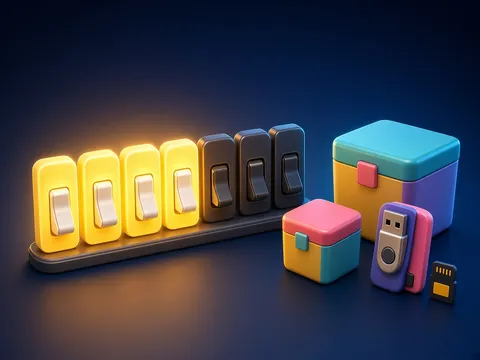
Just as we measure length in metres and mass in kilograms, information has units too. The smallest is the bit: one binary digit (0 or 1). 8 bits make 1 byte; one byte usually stores one letter or sign. Bigger units: 1 kilobyte (KB) = 1024 bytes, 1 megabyte (MB) = 1024 KB, 1 gigabyte (GB) = 1024 MB. Why 1024, not 1000? Computers work in binary, and 1024 is 2 to the power of 10. Examples: a short text file is a few kilobytes, a phone photo a few megabytes, a film a few gigabytes. Memory sticks and phone storage are measured the same way.
 What the book shows

In grade 5 the computer science textbook has units on information, the computer, applications, algorithms and the internet. Each topic gives a short explanation, an example and a task done on or off the computer.
Textbook link:
This is not the textbook’s text but a short description of the topic. Check the exact page in your own textbook.
 The lesson step by step
- 1
Warm-up5 min
How much space does it take?
- 2
New topic10 min
The bit.
- 3
Practice10 min
Bytes and bigger units.
- 4
Game10 min
Converting.
- 5
Wrap-up5 min
Comparing files.
 Let’s understand
For the student Simple language
| Unit | How much? |
|---|---|
| 1 bit | 0 or 1 |
| 1 byte | 8 bits |
| 1 KB | 1024 bytes |
| 1 MB | 1024 KB |
| 1 GB | 1024 MB |
 For the parent
How to help
- Look up the size of a photo and a text message on a phone together and compare them.
 For the teacher
 Lesson goals
- Know the units of information (bit, byte, kilobyte, megabyte, gigabyte) and compare them.
How to teach it
- Hands-on computer work, unplugged modelling, pair work, mini-project
 Differentiation
- Weaker pupils follow the model step by step; stronger pupils design and test their own task
 Questions for the class
- What do we measure information with?
 How to check
The pupil orders the units and does simple conversions.
 Scientific Scientific language
The word bit
It comes from “binary digit”.
A staircase
Each step is 1024 times bigger (bit to byte is 8 times).
Self-study
Step by step
- I know 8 bits = 1 byte.
- I ordered the units.
- I converted KB to bytes.
- I compared file sizes.
Going deeper
 Scientific language: for older students, parents and teachers.
There are bigger units too: a terabyte (TB) is 1024 GB. Big data centres store millions of terabytes.
 Play and check
Which is bigger?
 How to write it down
- Draw the units staircase.
- Work out: 2 bytes = ? bits; 3 KB = ? bytes.
How the classwork looks in the notebook
Sample: the date and heading follow this country’s notebook rules.
 Watch out: common mistakes
 Where it helps in life
- Files and folders
 At home
Core
- Work out: 4 bytes = ? bits; 2 MB = ? KB; 16 bits = ? bytes.
Extra ⭐
- How many bytes is the word SCHOOL (1 byte per letter)?
How to do it
- Do the task with a grown-up.
- Explain in words what you noticed.
Answers for parents
4 bytes = 32 bits; 2 MB = 2048 KB; 16 bits = 2 bytes; SCHOOL has 6 letters, so 6 bytes.
Step-by-step homework solution — Show the solution (try it yourself first)
Think
- How many 4 MB photos fit on a 4 GB stick? 4 GB = 4096 MB; 4096 ÷ 4 = 1024 photos (roughly, as some space is used by the system).
How the homework looks in the notebook
Sample: the date and heading follow this country’s notebook rules.

 About cookies