


How a computer works


 About this lesson
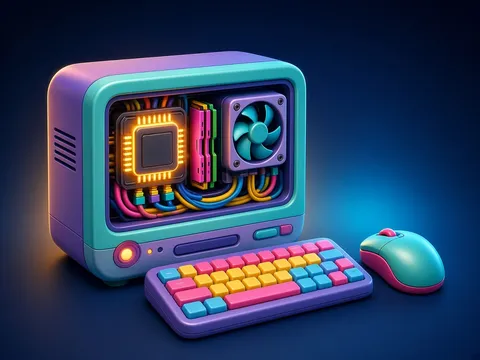
All the parts of a computer you can touch and see are its hardware. A computer works with data: any symbols, numbers or signs. When we know what they mean, data becomes information. For example, 19092012 is information once we know it is someone’s birthday (19 September 2012). A computer works in four steps. 1) Input: information enters through input devices — keyboard, mouse, scanner, microphone, digital camera, touch screen. 2) Memory: data, intermediate results and programs are kept in storage. RAM holds data temporarily while the computer is on and is cleared when it is switched off; external storage such as a hard disk or flash drive keeps data for a long time. 3) Processing: the processor processes information — it calculates, compares and controls all the other devices. It sits in the system unit on the motherboard; though small, it is called the computer’s “brain”. 4) Output: the result reaches the user through output devices — monitor, printer, speakers, headphones. All the devices are linked through the motherboard and cables.
 What the book shows

In grade 6 the computer science textbook covers how a computer is built and works, encoding numbers, electronic presentations, the properties of algorithms and loops, variables in programs, and email. Each topic gives a short explanation, an example and a task done on or off the computer.
Textbook link:
This is not the textbook’s text but a short description of the topic. Check the exact page in your own textbook.
 The lesson step by step
- 1
Warm-up5 min
An open system unit.
- 2
New topic10 min
Data and information.
- 3
Practice10 min
Input, memory, processing, output.
- 4
Game10 min
Grouping devices.
- 5
Wrap-up5 min
A step-by-step example.
 Let’s understand
For the student Simple language
| Step | Devices | What it does |
|---|---|---|
| input | keyboard, mouse, microphone | brings data in |
| memory | RAM, hard disk, flash drive | stores |
| processing | processor | calculates, controls |
| output | monitor, printer, speakers | shows the result |
 For the parent
How to help
- Look at devices at home (phone, tablet, printer) and ask your child which parts are input and which are output.
 For the teacher
 Lesson goals
- Know the main parts of computer hardware, tell input, output and storage devices apart, explain the processor’s role, and know the difference between data and information and how a computer works.
How to teach it
- Hands-on computer work, unplugged modelling, pair work, mini-project
 Differentiation
- Weaker pupils follow the model step by step; stronger pupils design and test their own task
 Questions for the class
- What happens inside the computer between a key press and the result on screen?
 How to check
The pupil recognises the main devices, groups them as input, output and storage, and explains the processor’s role and how a computer works.
 Scientific Scientific language
Cooling
A processor gets hot as it works, so it has a heat sink and a fan on top.
Two-way devices
A touch screen is both input and output: it senses touch and shows images.
Self-study
Step by step
- I explained hardware.
- I grouped devices.
- I know the processor’s role.
- I told data from information.
Going deeper
 Scientific language: for older students, parents and teachers.
Besides hardware, a computer needs software: an operating system and application programs.
 Play and check
Which group is the device in?
 How to write it down
- Draw a diagram of how a computer works.
- List 3 input, 3 output and 2 storage devices.
- Give one example of data and of information.
How the classwork looks in the notebook
Sample: the date and heading follow this country’s notebook rules.
 Watch out: common mistakes
 Where it helps in life
- Encoding numbers
 At home
Core
- Write the input, memory, processing and output parts of a device at home (phone, TV).
Extra ⭐
- Explain in two sentences how RAM differs from external storage.
How to do it
- Do the task with a grown-up.
- Explain in words what you noticed.
Answers for parents
Phone: input — touch screen, microphone, camera; memory — internal storage; processing — processor; output — screen, speaker. RAM keeps data only while the device is on; external storage keeps it after switching off.
Step-by-step homework solution — Show the solution (try it yourself first)
Step by step
- A pupil types 2 + 3 and presses Enter. Input: the keyboard sends the symbols. Memory: the numbers go into RAM. Processing: the processor adds them — 5. Output: 5 appears on the monitor. Which device works at each step? Now write the steps for printing a picture.
How the homework looks in the notebook
Sample: the date and heading follow this country’s notebook rules.

 About cookies