


Order and direction


 About this lesson
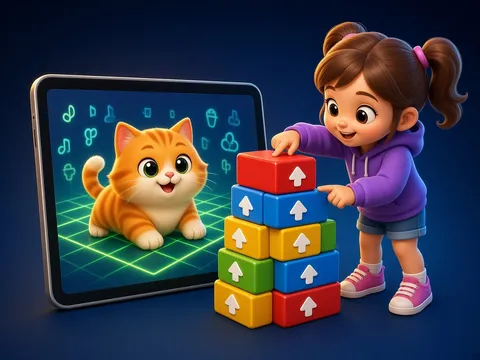
⬆️ forward, ⬇️ back, ➡️ right, ⬅️ left. We give a robot its route with arrows: ➡️➡️⬆️ means two steps right, one forward. The order of the arrows matters.
 What the book shows

In computer science the child first learns to think through unplugged games: recognising information, ordering steps and learning safety rules.
Textbook link:
This is not the textbook’s text but a short description of the topic. Check the exact page in your own textbook.
 The lesson step by step
- 1
Warm-up5 min
Right hand, left hand.
- 2
New topic10 min
4 direction arrows.
- 3
Practice10 min
A route on a grid.
- 4
Game10 min
“Robot” game.
- 5
Wrap-up5 min
Find the bug.
 Let’s understand
For the student Simple language

| Arrow | Command |
|---|---|
| ⬆️ | forward |
| ⬇️ | back |
| ➡️ | right |
| ⬅️ | left |
 For the parent
How to help
- Play “robot” at home: your child gives commands, you follow them.
- Mark the right and left hand.
- Name the turns on the way to the shop.
 For the teacher
 Lesson goals
- Know directions (forward, back, right, left) and write a route with arrow commands.
How to teach it
- Unplugged games, cards, role play, discussion
 Differentiation
- Weaker pupils: 2–3 steps; stronger pupils build their own algorithm
 Questions for the class
- How do we write a route for a robot?
 How to check
The pupil writes and reads a 4–5 arrow route.
 Scientific Scientific language
A language of commands
Arrows are a simple program for a robot: each arrow is a command, their order is the algorithm.
Finding the bug
If the robot ends up in the wrong place, we check the arrows one by one. Programmers do this every day.
Self-study
Step by step
- Find the start.
- Find the goal.
- Write one arrow per step.
- Check with your finger.
 Terms in this lesson
Tap an underlined word — its meaning opens in the glossary.
- Information
- What we know about the world around us.
- Algorithm
- A sequence of steps that reaches a goal.
Going deeper
 Scientific language: for older students, parents and teachers.
Some toy robots are programmed with buttons: the child presses arrows and the robot follows them in order.
 Play and check
Name the arrow.
 How to write it down
- Draw a 4×4 grid and write the robot’s route in arrows.
- Let a friend check it.
How the classwork looks in the notebook
Sample: the date and heading follow this country’s notebook rules.
 Watch out: common mistakes
 Where it helps in life
- Parts of a computer
- A robot program on screen
 At home
Core
- Write the route from your door to your bed in arrows.
Extra ⭐
- Guide a family member to the kitchen with commands.
How to do it
- Do the task with a grown-up.
- Explain in words what you noticed.
Answers for parents
For example: ⬆️⬆️⬆️➡️⬆️ three steps forward, right, one step forward. The answer depends on the room.
Step-by-step homework solution — Show the solution (try it yourself first)
Read the route
- ➡️➡️⬆️ two steps right, one forward.
How the homework looks in the notebook
Sample: the date and heading follow this country’s notebook rules.

 About cookies