


Computer parts: input and output devices


 About this lesson
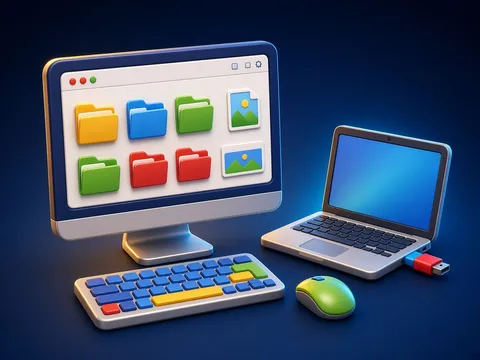
Input devices put information into the computer: keyboard (letters), mouse (pointing), microphone (sound), webcam (pictures). Output devices show it to us: monitor (pictures), speakers (sound), printer (paper copy). A laptop has many of these built in.
 What the book shows

In computer science the child first learns to think through unplugged games: recognising information, ordering steps and learning safety rules.
Textbook link:
This is not the textbook’s text but a short description of the topic. Check the exact page in your own textbook.
 The lesson step by step
- 1
Warm-up5 min
Riddle: “I hear sounds…”
- 2
New topic10 min
Input and output.
- 3
Practice10 min
Sort the devices.
- 4
Game10 min
“Computer” role play.
- 5
Wrap-up5 min
Video call example.
 Let’s understand
For the student Simple language
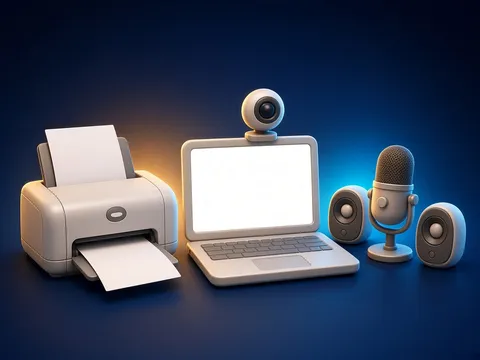
| 📥 Input | 📤 Output |
|---|---|
| ⌨️ keyboard | 🖥️ monitor |
| 🖱️ mouse | 🔊 speakers |
| 🎤 microphone | 🖨️ printer |
| 📷 webcam | 🎧 headphones |
 For the parent
How to help
- Find the input and output parts of your computer, phone or TV together.
- Ask: what happens when we press the remote?
 For the teacher
 Lesson goals
- Sort devices into two groups: those that put information into a computer (input) and those that bring it out (output).
How to teach it
- Unplugged games, cards, role play, discussion
 Differentiation
- Weaker pupils: 2–3 steps; stronger pupils build their own algorithm
 Questions for the class
- Name input and output devices and the difference.
 How to check
The pupil sorts 6 devices correctly.
 Scientific Scientific language
The system unit is the brain
The part that processes information is inside the system unit (or the laptop body). Input gives it data, it works, and output shows the result.
Touch screens
A tablet screen is both input (we touch it) and output (it shows pictures).
Self-study
Step by step
- Does the device give information to the computer? Input.
- Does it bring information to us? Output.
- Both? Like a touch screen.
Going deeper
 Scientific language: for older students, parents and teachers.
Some printers are three-dimensional (3D): instead of paper they “print” objects out of plastic.
 Play and check
Input or output?
 How to write it down
- Draw two columns: “Input” and “Output”.
- Draw and label 3 devices in each.
How the classwork looks in the notebook
Sample: the date and heading follow this country’s notebook rules.
 Watch out: common mistakes
 Where it helps in life
- Typing on a keyboard
- Saving files
 At home
Core
- Find 3 input and 3 output devices at home.
Extra ⭐
- Write 2 sentences: why is a touch screen both input and output?
How to do it
- Do the task with a grown-up.
- Explain in words what you noticed.
Answers for parents
Input: TV remote, phone microphone, camera. Output: TV screen, phone speaker, printer. A touch screen takes in touches and shows pictures.
Step-by-step homework solution — Show the solution (try it yourself first)
Think
- A video call: camera and microphone are input; screen and speaker are output.
How the homework looks in the notebook
Sample: the date and heading follow this country’s notebook rules.

 About cookies