


What is information? Types and sorting


 About this lesson
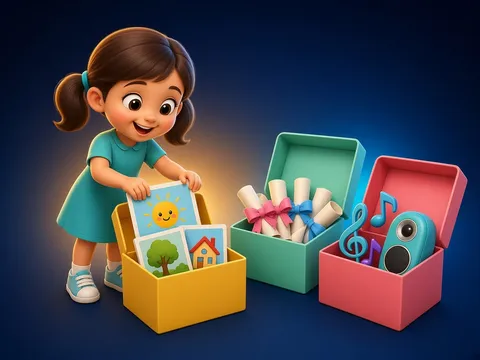
Information comes in different forms: pictures (photos, drawings), text (books, letters), sound (songs, ringtones) and numbers (prices, times). The same information can be given in another form: “It’s sunny” is text, ☀️ is a picture and a radio forecast is sound. Sorting information into groups helps us find it quickly.
 What the book shows

In computer science the child first learns to think through unplugged games: recognising information, ordering steps and learning safety rules.
Textbook link:
This is not the textbook’s text but a short description of the topic. Check the exact page in your own textbook.
 The lesson step by step
- 1
Warm-up5 min
Mystery box.
- 2
New topic10 min
Forms of information.
- 3
Practice10 min
Sort into groups.
- 4
Game10 min
“Change the form” game.
- 5
Wrap-up5 min
Story comic.
 Let’s understand
For the student Simple language
| Form | Example |
|---|---|
| 🖼️ picture | photo, map, drawing |
| 📜 text | book, letter, poster |
| 🎵 sound | song, ringtone, radio |
| 🔢 number | time, price, temperature |
 For the parent
How to help
- Find 8 things at home and sort them by information form.
- Give the weather forecast three ways together: write it, draw it, say it.
 For the teacher
 Lesson goals
- Sort information by its form (picture, text, sound, number) and turn one form into another.
How to teach it
- Unplugged games, cards, role play, discussion
 Differentiation
- Weaker pupils: 2–3 steps; stronger pupils build their own algorithm
 Questions for the class
- What forms can information take? Give examples.
 How to check
The pupil sorts 6 examples and changes one into another form.
 Scientific Scientific language
Mixed forms
A film combines pictures, sound and sometimes text (subtitles). A book has text and pictures.
Useful or not
Information can be useful (tomorrow’s timetable) or not (an old advert). We keep the useful kind.
Self-study
Step by step
- Look at the information.
- Find its form.
- Put it in a group.
- How else could it be shown?
Going deeper
 Scientific language: for older students, parents and teachers.
A computer stores every form (pictures, sound, text) as numbers.
 Play and check
Which form?
 How to write it down
- Draw four boxes (picture, text, sound, number) with 2 examples each.
- Give news of a holiday in three forms.
How the classwork looks in the notebook
Sample: the date and heading follow this country’s notebook rules.
 Watch out: common mistakes
 Where it helps in life
- Coding information
- Tables and charts
 At home
Core
- Find 2 examples of each form at home.
Extra ⭐
- Draw a favourite story as a 3-frame comic.
How to do it
- Do the task with a grown-up.
- Explain in words what you noticed.
Answers for parents
For example: pictures — a wall calendar, a photo; text — a recipe, a book; sound — the doorbell, the radio; numbers — a clock, a phone number. Drawing a story changes its form.
Step-by-step homework solution — Show the solution (try it yourself first)
Change the form
- “School starts at 8:30” → a clock picture 🕣, the number 8:30, an announcement (sound).
How the homework looks in the notebook
Sample: the date and heading follow this country’s notebook rules.

 About cookies