


Information in machines


 About this lesson
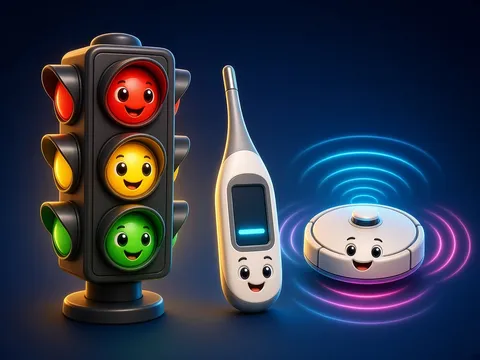
Not only people but machines work with information too. A traffic light “knows” the time and changes colour. A thermometer measures temperature and shows it on a screen. An automatic door uses a sensor to “see” a person and opens. Every device does four jobs: input (a sensor, button or microphone), processing (the device’s “brain”, the processor, decides), storage (memory) and output (a screen, sound, light or movement). All such tools are called information technology.
 What the book shows

In computer science the child first learns to think through unplugged games: recognising information, ordering steps and learning safety rules.
Textbook link:
This is not the textbook’s text but a short description of the topic. Check the exact page in your own textbook.
 The lesson step by step
- 1
Warm-up5 min
Traffic light puzzle.
- 2
New topic10 min
Four jobs.
- 3
Practice10 min
Sensors.
- 4
Game10 min
Device hunt.
- 5
Wrap-up5 min
Device of the future.
 Let’s understand
For the student Simple language
| Device | Input | Output |
|---|---|---|
| 🌡️ thermometer | heat sensor | a number on screen |
| 🚪 automatic door | motion sensor | the door opens |
| 🧹 robot vacuum | bump sensor | turns and moves |
| 🎤 smart speaker | microphone | sound, music |
 For the parent
How to help
- Find 5 devices at home that use information and name each one’s input and output.
- Look at the buttons and screens on kitchen appliances together.
 For the teacher
 Lesson goals
- Explain with examples how devices receive, store, process and output information.
How to teach it
- Unplugged games, cards, role play, discussion
 Differentiation
- Weaker pupils: 2–3 steps; stronger pupils build their own algorithm
 Questions for the class
- How do machines work with information?
 How to check
The pupil names a device’s input, processing, storage and output.
 Scientific Scientific language
A sensor is a device’s sense
Like our eyes and ears, devices have light, sound and heat sensors.
Memory
A phone keeps photos in memory; a washing machine keeps its wash programmes.
Self-study
Step by step
- How does the device get information?
- What does it store?
- How does it show the result?
Going deeper
 Scientific language: for older students, parents and teachers.
One device’s output can be another’s input: an air conditioner “reads” the temperature and cools the room.
 Play and check
Is this input or output?
 How to write it down
- Pick 3 devices and make a table: input, processing, output.
- Write 3 sentences on how a traffic light works.
How the classwork looks in the notebook
Sample: the date and heading follow this country’s notebook rules.
 Watch out: common mistakes
 Where it helps in life
- Ways to send information
- Computers and information
 At home
Core
- Draw a device at home and use arrows to label its input and output.
Extra ⭐
- Invent a future device: what sensor will it have?
How to do it
- Do the task with a grown-up.
- Explain in words what you noticed.
Answers for parents
For example, a washing machine: input is buttons and a water sensor; processing picks the programme; output is the drum turning and the time on the screen.
Step-by-step homework solution — Show the solution (try it yourself first)
Think
- When a robot vacuum bumps a wall, the sensor sends a signal, the processor decides “turn”, and the wheels change direction.
How the homework looks in the notebook
Sample: the date and heading follow this country’s notebook rules.

 About cookies